
Now Reading: Google new Gemini 3 AI models Free to Use
-
01
Google new Gemini 3 AI models Free to Use


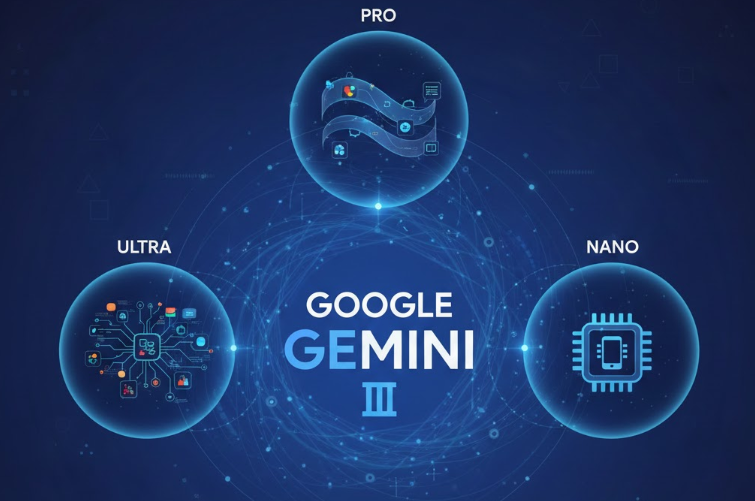
Google’s full family of Gemini 3 AI models is out now, and these models are accessible to anybody, even if you’re using a free Google account. The tech world is excited about Gemini 3 because of how much more intuitive it is at both understanding natural language and replying in a more realistic way.
The advanced reasoning makes Gemini 3 great for complex math and engineering problems and a more powerful assistant for application development.
Main Gemini Chat Tool
Option one is the main Gemini chat tool. You can get to this by going to gemini.google.com or by downloading the Gemini mobile app for iPhone or Android. This is the core Gemini experience where you can ask questions and have conversations.
Before you click the send button in the chat field, there’s a menu where you can choose from the different models from the Gemini 3 family. For a quick, simple answer, choose the fast mode, which uses the Gemini 3 Flash model.
You might choose the Pro model if you need a thought partner to help analyze something in more detail. You can upload documents, images, or code snippets no matter which model you choose, but Gemini 3 Pro is tuned to analyze lots of data across several files or resources and work with you to help you understand it.
The Pro model is also a great partner for vibe coding or building agents. Or you might want to work with the thinking model, which takes the most time but is really the one to use for mission-critical analysis, for issues related to math, engineering, or even planning strategies. It takes the time to research and compare multiple resources so it can self-correct and give you the most accurate, detailed information.
Gemini 3 in Zapier Workflows
Option two is to put Gemini 3’s advanced reasoning to work in Zapier. Zapier is the system where you can build powerful automated workflows, which can even connect over 7,000 different apps and tools, even if they’re not designed to work together.
You can include Gemini 3 in a workflow by connecting to the Google AI Studio app. Some apps you connect to Zapier, like Google AI Studio, require an API key to connect. You can go to the Google AI Studio website and sign in with your Google account. Then click the option on the left for get API key. You will need to set up billing, but you can just activate the free trial, which gives you 90 days or $300 worth of credits, which is plenty to set up a Zapier integration.
You can also use an app called URL to text, which has a free trial and its own API key. One example workflow gets a link to the most recent article from an RSS feed. The URL to text app pulls the full text of the article from that link. The Google AI Studio step uses Gemini to clean up that full article text and make it something that’s more easy to read.
Then use Gemini to analyze that article text and draft a social media post. Use Google Drive to make a Google Doc to store the draft. You can add a step that uses Gemini 3 to explain all of the technical details from the article. Gemini 3 is great at translating complex information into something you can understand. You can also use Gemini to make an infographic to go with the article.
It uses Google’s Imagen engine to create that infographic. On the final step, add an inline image to the Google Doc using the image URL generated. When everything is done, test the full workflow and publish it so it will automatically work whenever new articles are published on that RSS feed.
Nano Banana Pro Image Generation
Option three is where you’ll work with the new version of Google’s image generator, Nano Banana Pro, which was introduced along with Gemini 3. You can use it right now in the Gemini app on the web. In the tools menu, select the option for create images.
It has the banana icon next to it. With that enabled, you can choose the fast mode, but that will give you the original version of Nano Banana. Or you can switch to the thinking mode, which gives you Nano Banana Pro. Ask it to generate a picture of a story book with the text visible. It uses Nano Banana Pro. It takes some time and we get a picture.
In the past, AI image generation tools have had a difficult time with small text, but this looks pretty good. The Pro version renders text in the image much more realistically. Nano Banana Pro has better control over camera angles and focal depth, supports higher resolutions, and has a better understanding of different locations and languages. You can ask it to translate the text in the image to Italian, and that translated text comes through just as clearly.
You can ask it to give a wider camera angle. Nano Banana Pro can generate other types of pictures, including infographics with much more technical detail compared to other image generation models. Once you have a picture you’re happy with, you can download it. The resolution of those downloaded pictures will be significantly higher compared to the original Nano Banana.
Gemini 3 in Google AI Search Mode
Option four is using Gemini 3 in Google’s AI search mode. When you go to google.com to do a simple Google search, your search results have an AI summary at the top that expands on your search topic and gives you more insights. This is the AI mode. With Gemini 3, the AI mode takes a leap forward.
Instead of doing the search directly, click the AI mode button in the search field. There’s a menu at the top where you can switch from the default mode to the thinking with Gemini 3 Pro model. This is particularly impressive if you search for a more complex subject like an engineering or math topic.
The search process takes a little more time, but it will be worth it. It gives everything you might need to know about a topic and even includes interactive diagrams you can use to understand the concept. It also includes sources on the right so you can go and do more research.
Gemini 3 in Anti-Gravity IDE
Option five is using Gemini 3 in Google’s brand new completely free IDE built around Gemini 3. This new IDE is called Anti-Gravity. Anti-Gravity is not just a coding assistant. It is an agentic development platform designed to be your AI partner for front-end and full stack development.
Go to anti-gravity.google to download the application. Gemini 3 Pro is the default agentic model. The full Anti-Gravity IDE is free, but because the system is designed to support consistent multi-step AI tasks, it is subject to AI quota limits, which you may need to increase as you scale up. Higher limits can be enabled if you subscribe to the Google AI Pro or Google AI Ultra subscriptions.


