Now Reading: Motorola Edge 60 Pro Review
-
01
Motorola Edge 60 Pro Review


The Motorola H60 Pro is a true all-curved PLED display with 120 Hz refresh rate, IP69 rating, MediaTek Dimensity 8350, a triple camera setup with a proper 3x telephoto camera, a 6,000 mAh silicon carbon battery, 90W charging speeds, 15 watt wireless charging speeds, and a whole host of AI features. It fixes all that was problematic with last year’s hit, the H50 Pro. It even fixes those infamous camera app lags as well. What’s shocking? It does all of this for just 29, which is lower than the launch price of the Motorola H50 Pro. When something is too good to be true, there has always got to be some catch. Let’s explore that together in this blog.
New Motorola Edge 60 Pro Review
📱 Industrial Design and Materials
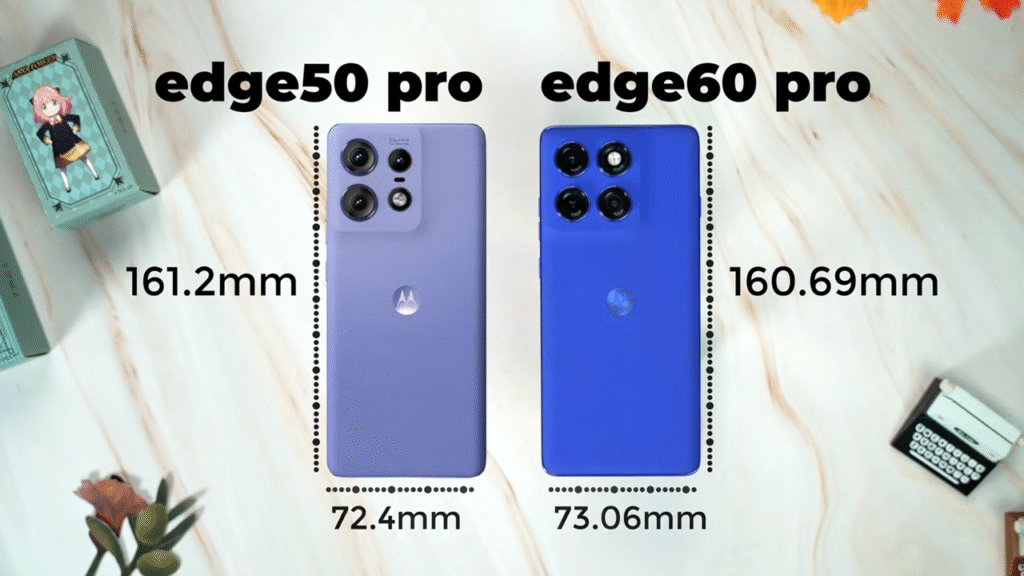
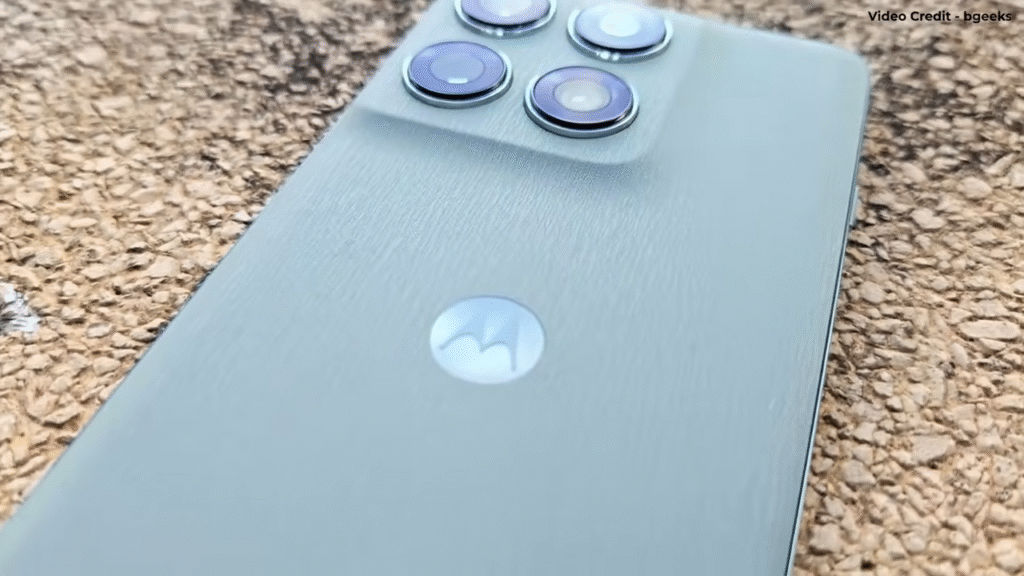
Motorola doesn’t play around with the core industrial design of the phone. We’ve seen this design for more than a couple of years now. You get the same fused camera module on a vegan leather back. Of course, what Motorola does experiment with is materials and colors. For experimenting with colors, it has partnered with Pantone at different levels. That also includes the color of the phone itself. This one’s called Pantone Dazzling Blue. I don’t feel it’s really dazzling, but it does look good in real life. What’s different is the texture that Motorola has used for the vegan leather here because what you get is a nylon-like texture, and it does feel very good in the hand. Vegan leather does get dirty really quickly, and you might want to put it in a case. However, Motorola doesn’t bundle a case anymore inside the box. That’s what they’ve started doing in 2025.
⚖️ Slim and Light Build
The phone is slim and light thanks to the fact that it uses a large silicon carbon battery. Trust me, silicon carbon is such an underrated tech in 2025. It’s helping make phones like these. Although, I must say this, the frame is a little too thin, and on a couple of occasions, I was slightly scared that it might slip out of my hands. It didn’t, but that’s a possibility. Motorola has swapped the metal frame from the H50 Pro. It’s now a plastic frame. It’s a cost-cutting measure, something that I’m not really worried about too much because the rest of the hardware is fantastic. You get IP69 now along with IP68 support as well. It’s backwards compatible. You also get Corning Gorilla Glass 7i protection for the display itself. You get military standard 810H certification.
🔘 Ports and Buttons
With respect to ports and buttons, you get the same ports and buttons, the SIM card tray with dual nano SIM support, but there’s an extra button here actually, and it’s called the Moto AI button. Basically, with this, you can invoke Moto AI, but it’s not customizable, which is a little bit of a disappointment. One more change from the H50 Pro is the fact that the Type-C 3 port has now been downgraded to Type-C 2, which shouldn’t have happened.

🖥️ All True Curved Display
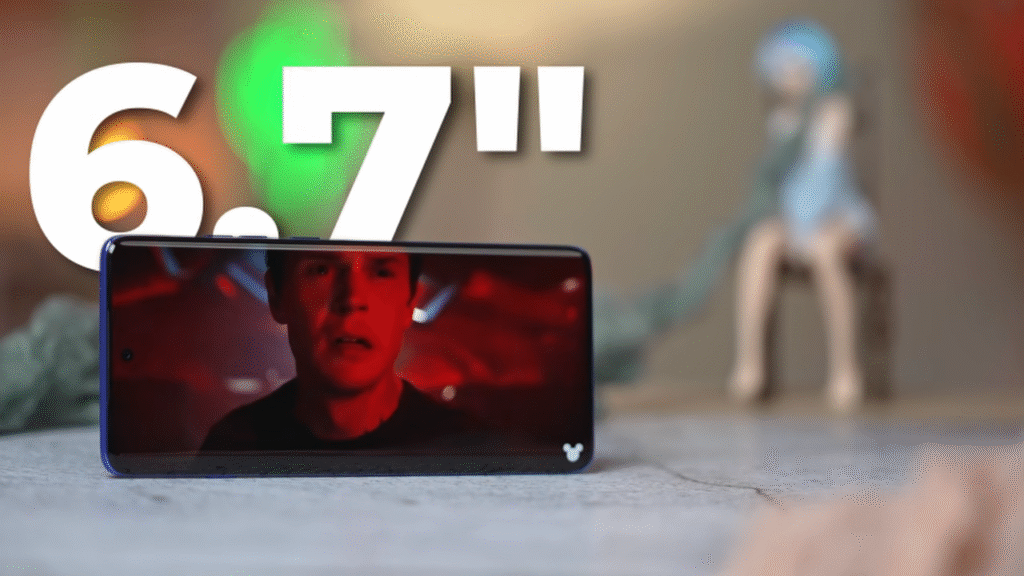
Time to talk about the display. This is what Motorola calls an all true curved display. They introduced this display type with the H60 Fusion that launched recently. The H60 Pro also has curves on all four sides and all four corners. I’ve always been a fan of flat panels. I actually prefer the H60 stylus’s display type to be more specific. One of the problems with curved displays is ghost touches. Thankfully, Motorola has tuned the software in such a way that you do not have too many ghost touches happening, and the mistouch prevention is actually pretty good. If there is light falling on the curved part of the display, it will definitely be reflective. This is a 6.7-inch 1.5K resolution P-OLED panel with 120 Hz refresh rate. You also get a peak brightness of 4,500 nits. You get 100% DCI-P3 color gamut support with Pantone color validation and Pantone skin tone validation as well.
🌟 Display Performance
When I was testing it, I could tell that this is a proper flagship-grade OLED panel which has been tuned really well, especially for HDR content. If you’re watching HDR content on YouTube, you can see that the highlights are very well controlled, and the shadows are also pretty well detailed. You have to put the display in natural color mode to see the color accuracy of the display as well. Especially when you look at skin tones in HDR content or even in HDR content on YouTube for that matter, you will notice that the skin tones are close to neutral, which is very well done. The peak brightness when you’re watching HDR content on YouTube is pretty good. The brightness in high brightness mode when you take it outside is also pretty good. It’s actually much brighter than the H50 Pro. Despite having such a good panel, good color tuning, good HDR tuning, the one thing that is solely missing is the support for Netflix HDR, which would have enhanced the experience even more.
✋ Touch and Haptics
The touch response is actually fantastic. It’s 300 Hz, and more importantly, you also do get Aqua Touch, which is basically Motorola’s version of using the display even if your fingers are wet. There’s a fairly decent 720 Hz PWM dimming. We’ve seen higher numbers from other brands, but at least it’s definitely better than Apple, Google, and Samsung. The on-screen fingerprint scanner is pretty fast to unlock. No problem there. There is no issue with it recognizing your fingerprints. What has also been improved is the haptic feedback tuning. It’s not the best haptic feedback tuning that you can get, but it’s definitely better than its predecessor, the H50 Pro. There are vibration elements added to different parts of the UI that sort of enhance the experience even more.

🔊 Stereo Speakers
As for the stereo speakers, they can get loud, and they do sound rich, but the bass is a little lacking. For audiophiles in the house, you do get support for both the Bluetooth high-res codecs, which is basically LHDC and LDAC.
⚡ Performance and Processor
Compared to the H50 Pro, the H60 Pro has leveled up in performance. What you get is a MediaTek Dimensity 8350 Extreme processor. We’ve seen this on a couple of phones, the OPPO Reno 13 series and the Realme P3 Ultra. It’s a very powerful chip. You also get two variants, 8/256GB and 12/256GB. I’m really glad that Motorola is not going for 128 in 2025, which is awesome. Both the storage and RAM variants are LPDDR5X and UFS 4.0 storage. Motorola went directly from UFS 2.2 to UFS 4.0, escaping UFS 3.1 in between, which is fantastic. It’s also evident that the storage is much faster now from the sequential read speeds and the random read speeds. In everyday usage, the phone mostly runs pretty smooth with very little lags, which is nice. There are some micro stutters that I see once in a while. I feel like some more fine-tuning is required, but it’s still much improved compared to before.

🎮 Benchmark and Gaming
In benchmarks like AnTuTu and Geekbench, the H60 Pro is beating the Reno 13. The Realme P3 Ultra is slightly faster in AnTuTu though. In our CPU throttle test, the H60 Pro achieved 74% CPU stability, whereas the OPPO Reno 13 had 79%, which is very close. The GPU stability in comparison to the Reno 13 is definitely better on the H60 Pro. It also loses far less battery life, and it doesn’t get too hot either. We play Genshin Impact at highest graphics and target FPS set to 60 fps. We got an average of 53.5 FPS, which is still much better than the Reno 13, which tends to throttle a lot more than the H60 Pro. The best part is the H60 Pro doesn’t even cross 40° not even once in our testing, and the peak was 39°, which is so good. Imagine if Motorola had given it a little bit more temperature, say 42, 43°, and the FPS could jump up to 56, 57 FPS average FPS. That would be so much better gaming performance. There’s a proper vapor cooling chamber inside as well, which keeps the phone running cold. Unfortunately, for the PUBG players out there, 90 FPS or 120 FPS option hasn’t been unlocked yet. COD Mobile 120 FPS is possible right now.
🔋 Battery and Charging
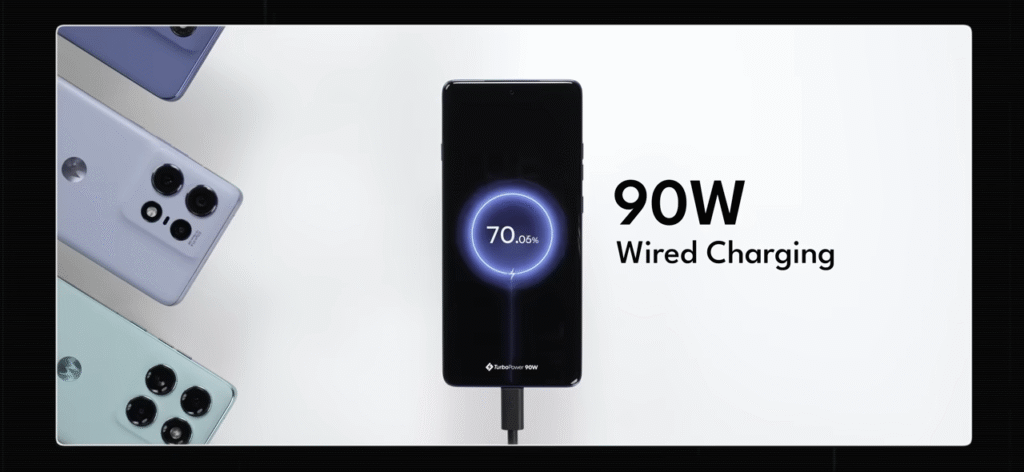
Talking about battery, what you get inside is a 6,000 mAh silicon carbon battery with 90W wired charging support and 15 watt wireless charging support. With the 90 watt charger, you can charge the battery from 0 to 100% in 53 minutes, which is very fast. Some people might be wondering, the Edge 50 Pro had 125 watt charging speeds, and it also had 50 watt wireless charging support. That’s definitely a downgrade. Technically, yeah, but to get the 125 watt charger inside the box, you had to buy the higher-end variant, which means that you had to spend more. To get that 50 watt charging speeds using the wireless charger, you had to buy a separate charger as well, which would support only that device. I’m okay with this change honestly because the charging speeds are fast to begin with. For the battery itself, I haven’t tested the battery life extensively. It’s only very initial days. What I got is 4 hours 6 minutes of screen-on time with about 29% left in the battery. This is just an indicative number for the first run that I had.
🌐 Networking
When it comes to networking, Motorola is the leader. There is legit no problem here. You also get support for NFC. You get support for Bluetooth 5.4, Wi-Fi 6E. Excellent stuff.
📸 Camera Hardware
Time to talk about the cameras. The primary camera is a 50 megapixel Sony Lytia 700C sensor. The ultra-wide has been upgraded now to 50 megapixel ultra-wide. You also get a 10 megapixel 3x telephoto camera and a 50 megapixel selfie camera as well. This is by far the best hardware inside a phone under rupees 30,000 right now, which is fantastic. Hardware is just one part of the equation. Let’s take a look at the photos and see how the AI algorithm or just the algorithm has been tuned.
🖼️ Camera Performance
The camera app design has been upgraded. It looks a little more modern now. It doesn’t get stuck, and there are very few lags, which is something that a lot of people had concerns with. The primary camera’s detail retention in daylight is absolutely fantastic. The 100% crop reveals no sharpening whatsoever. Low light photos in comparison are all right at best using the primary camera. A slightly brighter exposure would have been nicer. The HDR tuning on the other hand has been pretty tastefully done. The highlights are very well controlled with no overexposed zones, and there are enough details pulled from the shadows as well. Especially this shot of Shrian standing against the sun is super impressive. The Pantone colors are superb. You get very close to neutral color. Even the colors are consistent across the cameras, especially the primary and ultra-wide. The 3x has a different color tuning, which needs to be a little more consistent. The primary camera captures accurate skin tones, but the telephoto does not. It has a little bit of that reddish skin tone problem, which could have definitely been avoided.
🎨 Portrait and Ultra-Wide
The portrait mode shots can be captured in four different focal lengths. You get 24 mm, 35 mm, 50 mm, and 85 mm. In portrait shots, Moto seems to have cleaned up the edge detection, and it’s looking better now with a little bit more room left for improvement. Ultra-wide-angle camera, the upgraded one, is definitely excellent now. It captures a lot of details with the 50MP camera in daylight. Even the low light ultra-wide shots are definitely improved. The macro that it can capture is also pretty good. It doesn’t have a very close focusing distance, but you can see a decent amount of details at close range.

🔎 Telephoto and Selfies
The 3x telephoto camera is pretty good, too. In daylight, you get excellent details with no over sharpening, but it does struggle in low light. Selfies are just fantastic, probably the best in class. You get excellent skin tones and HDR tuning. In fact, even the portraits look damn nice. The new action mode that you get with the camera actually helped us capture this image. The quality hit is minimal, and it doesn’t look bad at all. There’s also a new group shot option where if you have multiple people in the frame and if somebody blinks, then it has probably taken an extra shot for you to sort of replace that with somebody not blinking.
🎥 Video Recording
One good thing with the camera algorithm is that Motorola has improved the video recording quality by leaps and bounds. You can still only do 4K 30 fps videos, not 4K 60 fps, but 4K 30 fps is possible using the primary, the ultra-wide, the telephoto, and even the selfie camera. The stabilization is pretty nice. The HDR is actually damn nice, truth be told, and it’s a huge improvement in video quality. I did notice some focus hunting issues here and there, especially with the 3x telephoto, but the primary and ultra-wide is fairly fine. Of all the cameras, the 4K 30 fps from the selfie is the best of the lot. The sound recording is particularly very good. This is really what I wanted from a camera phone is basically don’t go all out. Just tune it really well. Even if it’s a good 4K 30 fps option with good quality video recording, then that’s something that I’d take any day over just bad quality 4K 60 fps. This could be the best tuned Motorola camera yet.
🖼️ Software and Updates
Talking about the software, you get Android 15 with Hello UI on top of it. Motorola is also promising you 3 plus 4 years of software updates as well, which is good. To keep the price of the phone in check, they’ve had to add a few unnecessary pre-installed apps, which can definitely be classified as bloatware. One more thing I would suggest that you do is go into your app tray and switch off newsfeed because what it does is that it picks out a bunch of news from Taboola, which is like an aggregate. The Hello UI experience is just mad. It’s chock-full with features. I think right now Hello UI is probably the most feature-rich software experience. You do get your standard Motorola features like Moto Gestures, Think Shield, Moto Secure, Family Spaces, all of that.

🤖 Moto AI 2.0 Features
What you get with the H60 Pro is Moto AI 2.0, which is surprisingly very user-intuitive, which is something that I’ve wanted from a smartphone AI experience. Motorola seems to have done a fairly decent job of. To invoke the Moto AI, you can actually press this button out here, and a double click will also open a specific Moto AI feature as well. There’s update me, which basically creates a summary of all the notifications you have on your phone. It supports a few apps right now, and a few other apps’ support is coming later. Image studio, as the name suggests, lets you generate images using AI. Not just images, you can also generate stickers and avatars. There’s also sketch to image, which basically means that you sketch an image, and it’ll draw it out for you. Style sync is also there, which basically lets you create a wallpaper based on your outfit of the day.
📝 Notes and Playlist Studio
There’s also remember this, which is like nothing’s essential button. Essentially, what it does is basically lets you take a screenshot and help you remember that or maybe take a photo and help you remember that, and it adds that to the notes. It is actually better than nothing’s essential button. The notes app has been hugely upgraded because what you can do right now is you can take instant voice notes, and it’ll create a transcription for you. It even breaks down the different speakers for speaking. Plus, it gives you an AI summary. It’s all pretty cool. I have tuned the double tap button to open the voice notes feature so that I can immediately take a voice note. There’s something interesting called playlist studio, which currently works exclusively only with Amazon Music. If you give it a prompt, it creates a playlist and adds it to Amazon Music. I tried out sad Hindi songs, and it did create a list of a few songs, which is nice.

🧠 Next Move AI
Tying all of this together is something called next move, and it is contextually aware of what you want from AI or what could be possible with AI. For example, I opened up this BookMyShow page of Guns and Roses concert that’s happening really soon. Once I opened that page, I opened up Moto AI, and when you open Moto AI, it contextually gives you AI options that are possible with it. It asks you if you want to create a playlist with Guns and Roses songs in them. It creates the playlist if you ask it to. This playlist is damn cool. It’s got the best songs, and you can look forward to that concert. You can also create a memory with it, which is also damn nice. Moto is also able to do all of this because you get Perplexity built-in and Copilot built-in as well. You can even ask questions to Perplexity, which is damn nice. A bunch of the work is also happening on device. This is an AI experience that I’m really looking forward to.
💸 Value for Money
When I was in the Motorola briefing, and they started talking about the phone and all the upgrades that they’ve made to it, I started thinking in my head, this phone is going to be more expensive now. They’re going to jack up the prices. It’s going to be 35, 40,000 bare minimum. When the Motorola rep said that this is going to be 29, I was positively flummoxed. For that price, I can definitely say that this phone offers excellent value for money, and it could be my de facto recommendation for most people looking for a great phone under rupees 30,000. It does improve over the H50 Pro in many ways. I’m just glad that Motorola is taking feedback and improving on a lot of things. Of course, there are still a few niggles here and there, and there are some things that Motorola has done to get the cost to this much, but still, I feel like it’s a great option.